Rotation Graph Calculator: Free Point Rotation Tool 2025
A rotation graph calculator is an essential mathematical tool that determines the new coordinates of points after rotation in the coordinate plane. This calculator applies rotation matrices and trigonometric formulas to transform points around the origin or any arbitrary center point, making complex geometric calculations accessible for students, engineers, and professionals working with coordinate transformations.
Understanding Coordinate Geometry Rotations
Rotation in coordinate geometry involves moving points around a fixed center while maintaining their distance from that center. The rotation preserves the shape and size of geometric figures while changing their orientation in the coordinate plane. This fundamental transformation is widely used in computer graphics, engineering design, and mathematical modeling across various industries in the United States.
The rotation process follows specific mathematical rules where each point (x, y) transforms to a new position based on the rotation angle and center point. Counter-clockwise rotations use positive angles, while clockwise rotations use negative angles. Understanding these principles is crucial for anyone working with geometric transformations in fields ranging from architecture to video game development.
Types of Rotation Transformations
There are two primary types of rotation transformations in coordinate geometry. Rotation around the origin (0,0) is the simplest form, where points rotate about the center of the coordinate system. Rotation around an arbitrary point requires additional translation steps to move the center of rotation to the desired location before applying the transformation.
Common Rotation Angles and Applications
Standard rotation angles include 30°, 45°, 60°, 90°, 180°, and 270°, which have specific trigonometric values that simplify calculations. These angles are frequently used in engineering applications, architectural designs, and computer graphics programming. The 90° and 180° rotations are particularly common in practical applications due to their straightforward coordinate transformations.
Rotation Matrix Formulation and Calculations
The rotation matrix is a 2×2 matrix that performs coordinate transformations through matrix multiplication. For a rotation by angle θ counter-clockwise around the origin, the rotation matrix is [[cos(θ), -sin(θ)], [sin(θ), cos(θ)]]. This matrix ensures that distances and angles are preserved during the transformation process.
Matrix multiplication with the rotation matrix produces the new coordinates: x’ = x·cos(θ) – y·sin(θ) and y’ = x·sin(θ) + y·cos(θ). This mathematical approach provides precise results and forms the foundation for computer-based rotation calculations used in modern software applications throughout American industries.
Step-by-Step Matrix Calculation Process
To calculate rotations using the matrix method, first identify the angle of rotation and convert it to radians if necessary. Set up the rotation matrix with the appropriate trigonometric values, then multiply this matrix by the column vector containing the original point coordinates. The resulting vector contains the new rotated coordinates.
Matrix Properties in Rotation Calculations
Rotation matrices possess special properties including orthogonality and unit determinant, making them invertible transformations. The inverse of a rotation matrix equals its transpose, which represents the reverse rotation. These properties ensure that rotation transformations are reversible and maintain geometric integrity in all calculations.
Calculating Point Rotation Around the Origin
Rotation around the origin follows the standard rotation formulas where the new x-coordinate equals x·cos(θ) – y·sin(θ) and the new y-coordinate equals x·sin(θ) + y·cos(θ). These formulas derive directly from the rotation matrix and provide exact results for any rotation angle.
For example, rotating point (3,4) by 60° counter-clockwise around the origin yields coordinates (-0.464, 4.098) using the rotation calculator formulas. The calculation involves cos(60°) = 0.5 and sin(60°) = 0.866, demonstrating how trigonometric functions enable precise coordinate transformations.
Rotation Around Arbitrary Points
Rotating around an arbitrary point (a,b) requires a three-step process: translate the coordinate system so the rotation center becomes the origin, perform the standard rotation, then translate back to the original coordinate system. This arbitrary point rotation method ensures accurate results for any center of rotation.
The complete formulas for arbitrary point rotation are: x’ = (x-a)·cos(θ) – (y-b)·sin(θ) + a and y’ = (x-a)·sin(θ) + (y-b)·cos(θ) + b. These equations incorporate the translation steps directly, making them practical for calculator implementations and software applications.
Translation Component Analysis
The translation components in arbitrary rotation formulas account for shifting the coordinate system. Subtracting (a,b) moves the rotation center to the origin, while adding (a,b) back restores the original coordinate system position. This mathematical approach ensures geometric accuracy in all rotation calculations.
Practical Applications of Arbitrary Rotations
Arbitrary point rotations are essential in computer graphics, mechanical engineering, and architectural design. These calculations enable rotating objects around specific pivot points, creating realistic animations, and designing rotating mechanical components. Industries across the United States rely on these mathematical principles for precision manufacturing and digital content creation.
Using Online Rotation Graph Calculators
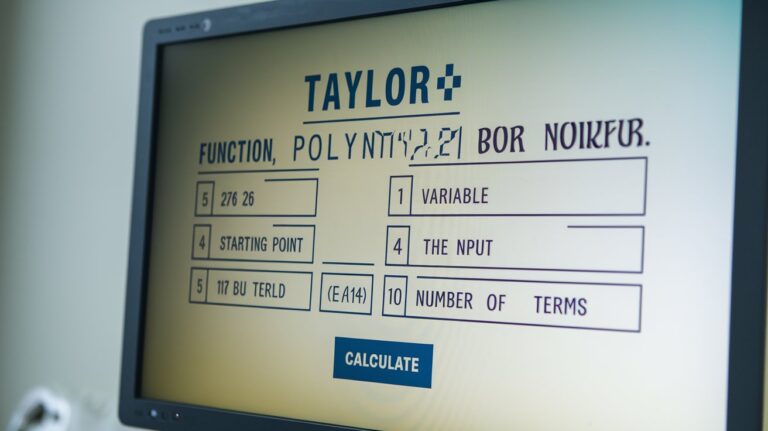
Modern rotation graph calculators provide instant results with visual representations of the transformation process. These tools accept input coordinates, rotation angles, and center points, then display both numerical results and graphical plots showing the original and rotated positions. Many calculators offer step-by-step solutions for educational purposes.
Professional-grade rotation calculators include additional features such as multiple point processing, angle conversion between degrees and radians, and export capabilities for CAD software integration. These advanced tools serve engineering firms, educational institutions, and design companies throughout the United States, streamlining complex geometric calculations.
Common Rotation Examples and Solutions
Standard rotation examples include rotating point (1,0) by 90° to get (0,1), or rotating (2,3) by 180° around the origin to get (-2,-3). These rotation examples demonstrate the systematic application of rotation formulas and help verify calculator accuracy through known results.
More complex examples involve fractional coordinates and non-standard angles, such as rotating (1.5, 2.7) by 37° counter-clockwise. These advanced rotation problems showcase the precision capabilities of modern rotation calculators and their value in professional applications requiring exact coordinate transformations.
Verification Methods for Rotation Results
Verifying rotation calculations involves checking that the distance from the rotation center remains constant and that the angle between the original and new position vectors equals the specified rotation angle. These verification methods ensure calculation accuracy and build confidence in mathematical results.
Error Prevention in Rotation Calculations
Common errors in rotation calculations include angle unit confusion (degrees vs. radians), sign errors in trigonometric functions, and incorrect application of arbitrary point formulas. Using reliable rotation calculators and following systematic calculation procedures helps prevent these mathematical mistakes.
Related video about rotation graph calculator
This video complements the article information with a practical visual demonstration.
Frequently Asked Questions
How do you rotate the point (3,4) 60 degrees counterclockwise?
To rotate point (3,4) by 60° counterclockwise around the origin, use the rotation formulas: x’ = 3·cos(60°) – 4·sin(60°) = 3(0.5) – 4(0.866) = -2.964, and y’ = 3·sin(60°) + 4·cos(60°) = 3(0.866) + 4(0.5) = 4.598. The rotated point is approximately (-2.964, 4.598).
What is the rotation matrix for a 90-degree rotation?
The rotation matrix for a 90° counterclockwise rotation is [[0, -1], [1, 0]]. This matrix transforms point (x,y) to (-y,x). For clockwise 90° rotation, the matrix becomes [[0, 1], [-1, 0]], transforming (x,y) to (y,-x). These matrices are fundamental in computer graphics and geometric transformations.
How do I calculate geometric rotation around an arbitrary point?
For rotation around arbitrary point (a,b), use the formulas: x’ = (x-a)·cos(θ) – (y-b)·sin(θ) + a and y’ = (x-a)·sin(θ) + (y-b)·cos(θ) + b. This involves translating to make (a,b) the origin, rotating, then translating back. Most rotation calculators handle this automatically.
What are the most common rotation angles used in calculations?
The most common rotation angles are 30°, 45°, 60°, 90°, 180°, and 270° because their trigonometric values are well-known exact values or simple fractions. These angles frequently appear in engineering, architecture, and computer graphics applications, making them standard choices for rotation calculations.
Can rotation calculators handle negative angles?
Yes, rotation calculators handle negative angles, which represent clockwise rotations. A negative angle produces the same result as rotating by (360° – |angle|) counterclockwise. For example, -90° rotation equals 270° counterclockwise rotation. Most calculators automatically process negative angles correctly.
What industries commonly use rotation graph calculators?
Rotation graph calculators are widely used in computer graphics, video game development, mechanical engineering, architecture, robotics, and aerospace industries. These tools are essential for CAD software, animation systems, robotic path planning, and structural design applications across the United States manufacturing and technology sectors.
| Calculation Method | Best Use Case | Key Advantage |
|---|---|---|
| Origin Rotation Formulas | Simple geometric transformations | Direct calculation with minimal steps |
| Rotation Matrix Method | Multiple point transformations | Systematic approach for complex calculations |
| Arbitrary Point Rotation | Real-world applications | Flexibility in rotation center selection |
| Online Calculators | Quick verification and learning | Visual representation and step-by-step solutions |