Best Geometric Shape Maker Tools 2025: Create Perfect Shapes
A geometric shape maker is an essential digital tool that allows users to create precise mathematical shapes, from basic circles and triangles to complex polygons and custom designs. Whether you’re a student, educator, designer, or professional, these tools provide accurate measurements, perfect symmetry, and professional-quality output for both digital and print applications.
What is a Geometric Shape Maker
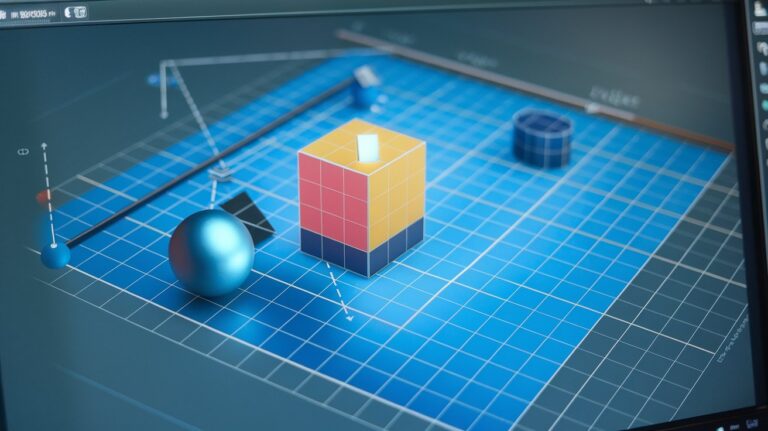
A geometric shape maker is specialized software or web application designed to generate mathematically precise geometric forms with exact measurements and proportions. These tools eliminate the guesswork in manual drawing by providing automated calculations for angles, dimensions, and coordinate positioning. Modern geometric shape generators support vector-based outputs, ensuring scalability without quality loss across different applications.
Professional shape creation tools typically include features like grid snapping, angle constraints, measurement displays, and export options in multiple formats including SVG, PNG, and PDF. Advanced platforms integrate with CAD software and design applications, making them indispensable for technical drawings, architectural plans, and educational materials requiring geometric precision.
Types of Geometric Shapes You Can Create
Modern geometric shape makers support an extensive range of forms, from fundamental two-dimensional shapes to complex three-dimensional constructs. The versatility of these tools allows users to create everything needed for mathematical illustrations, design projects, and technical documentation with professional accuracy and consistency.
Basic 2D Shapes
Essential 2D geometric shapes include circles, squares, rectangles, triangles, and regular polygons with customizable side counts. These fundamental forms serve as building blocks for more complex designs and are commonly used in educational materials, logos, and technical diagrams. Most shape makers allow precise control over dimensions, angles, and positioning coordinates for exact specifications.
Advanced Polygons and Complex Shapes
Professional polygon generators create multi-sided figures with up to hundreds of vertices, including stars, regular polygons, and custom irregular shapes. These tools calculate internal angles automatically and maintain geometric relationships while allowing manual adjustments for specialized applications. Complex shapes like spirals, fractals, and tessellating patterns require advanced mathematical algorithms that modern shape makers handle seamlessly.
Top Online Geometric Shape Maker Tools 2025
The digital landscape offers numerous online shape makers with varying capabilities, from simple browser-based tools to sophisticated cloud platforms. Selection criteria include precision accuracy, export quality, user interface design, and integration capabilities with existing workflows. Here are the leading platforms dominating the market in 2025.
Free Web-Based Shape Generators
Popular free geometric tools include GeoGebra, Desmos Graphing Calculator, and Math Open Reference, offering robust shape creation without subscription costs. These platforms provide educational-grade accuracy with features like dynamic geometry, real-time calculations, and interactive manipulation. While free tools may have limitations in export formats or advanced features, they’re excellent for students, teachers, and casual users requiring basic geometric shapes.
Professional Shape Creation Platforms
Premium professional shape makers like Adobe Illustrator’s geometric tools, Figma’s vector networks, and specialized CAD software offer advanced features including parametric modeling, batch processing, and high-resolution outputs. These platforms integrate with design workflows, support collaborative editing, and provide extensive customization options for professional applications requiring precision and scalability.
Key Features to Look for in Shape Making Software
Selecting the right geometric design software requires evaluating essential features that impact usability, output quality, and workflow integration. Critical capabilities include measurement precision, export flexibility, user interface intuitiveness, and compatibility with existing tools and systems.
Precision and Measurement Tools
Professional-grade precision tools offer decimal-level accuracy in measurements, automatic angle calculations, and constraint-based positioning systems. Features like grid alignment, snap-to-point functionality, and real-time dimension displays ensure mathematical accuracy essential for technical applications. Advanced tools include coordinate input fields, ratio maintenance, and geometric relationship preservation during modifications.
Export and Integration Capabilities
Versatile export options support multiple file formats including vector-based SVG and EPS for scalability, raster formats like PNG and JPEG for web use, and PDF for documentation. Integration features include direct export to design software, cloud storage synchronization, and API connections for automated workflows. Professional tools offer batch processing and custom resolution settings for specific output requirements.
Educational Applications of Geometric Shape Makers
Educational geometry tools transform mathematical learning by providing interactive, visual representations of geometric concepts. These applications support curriculum standards across grade levels, from elementary shape recognition to advanced trigonometry and calculus concepts involving geometric relationships and spatial reasoning skills.
Teachers utilize classroom geometry software to create dynamic presentations, interactive exercises, and assessment materials that engage students through visual learning. Modern platforms support collaborative learning environments where students can manipulate shapes in real-time, fostering deeper understanding of geometric principles through hands-on exploration and experimentation.
Professional Design and Engineering Uses
In professional environments, technical drawing tools serve critical roles in architecture, engineering, product design, and manufacturing processes. These applications require absolute precision, standardized formatting, and compatibility with industry-specific software systems and protocols.
Architecture and Construction Applications
Architectural professionals use geometric design tools for creating floor plans, elevation drawings, and structural details with precise measurements and standard symbols. These tools integrate with Building Information Modeling (BIM) systems and comply with construction industry standards for documentation and communication. Features include automatic scaling, layer management, and dimension annotation for professional presentation.
Manufacturing and Product Design
Manufacturing applications require precision shape tools that generate technical specifications for machining, 3D printing, and quality control processes. These platforms support tolerance calculations, material specifications, and manufacturing constraint validation. Integration with Computer-Aided Manufacturing (CAM) systems enables direct translation from geometric designs to production instructions and automated manufacturing processes.
Mobile Apps for Shape Creation
Mobile geometry apps bring shape creation capabilities to smartphones and tablets, enabling on-the-go design work and field measurements. These applications leverage touch interfaces for intuitive shape manipulation while maintaining professional accuracy standards. Popular apps include GeoGebra Mobile, Concepts, and Adobe Illustrator Draw, each offering unique features tailored to mobile workflows and touch-based interaction paradigms.
Advanced mobile shape makers incorporate device sensors for automatic measurements, camera integration for reference overlays, and cloud synchronization for seamless desktop workflow integration. Professional features include Apple Pencil support on iPad, pressure sensitivity, and gesture-based commands optimized for mobile productivity.
Tips for Creating Perfect Geometric Shapes
Mastering geometric shape creation requires understanding both technical principles and software-specific techniques. Professional results depend on proper planning, accurate measurements, and strategic use of software features to achieve desired outcomes efficiently and consistently.
Planning and Measurement Strategies
Successful shape design begins with clear objectives, accurate initial measurements, and systematic approach to construction. Establish reference points, use grid systems for alignment, and maintain consistent units throughout the project. Professional workflow includes sketch planning, dimension verification, and iterative refinement to achieve optimal results while minimizing rework and errors.
Advanced Techniques for Complex Shapes
Complex geometric constructions require mastery of advanced techniques including parametric relationships, geometric constraints, and mathematical formulations. Utilize construction methods like perpendicular bisectors, angle bisectors, and tangent constructions for precise results. Advanced users leverage scripting capabilities, formula-driven dimensions, and algorithmic generation for repetitive or mathematically complex shapes requiring computational precision.
Future Trends in Geometric Shape Technology
The evolution of digital geometry tools continues advancing through artificial intelligence integration, augmented reality interfaces, and cloud-based collaborative platforms. Machine learning algorithms now assist in shape optimization, automatic constraint detection, and intelligent suggestion systems that accelerate design workflows. AR technology enables spatial geometry visualization and real-world overlay capabilities for field applications.
Emerging technologies include AI-powered shape generation, blockchain-based design verification, and quantum computing applications for complex geometric calculations. These innovations promise to revolutionize how professionals and students interact with geometric concepts, making advanced mathematical principles more accessible while maintaining professional-grade accuracy and precision standards.
Related video about geometric shape maker
This video complements the article information with a practical visual demonstration.
Frequently Asked Questions
What is the best free geometric shape maker for students?
GeoGebra is widely considered the best free geometric shape maker for students, offering comprehensive tools for creating precise shapes, dynamic geometry features, and educational resources. It supports all grade levels from elementary to university, includes interactive elements, and exports in multiple formats. The platform is completely free, runs in web browsers, and provides extensive documentation and tutorials for classroom use.
Can geometric shape makers create 3D shapes?
Yes, many modern geometric shape makers support 3D shape creation including spheres, cubes, pyramids, and complex polyhedra. Professional tools like GeoGebra 3D, Tinkercad, and CAD software offer comprehensive 3D modeling capabilities with precise measurements, rotation controls, and perspective views. These tools can export 3D models for 3D printing, architectural visualization, and engineering applications.
How accurate are online geometric shape generators?
Professional online geometric shape generators achieve mathematical precision with accuracy to multiple decimal places, often matching or exceeding traditional drafting tools. High-quality platforms use advanced algorithms for calculations and maintain precision throughout editing processes. However, accuracy depends on the specific tool chosen, with professional-grade platforms offering higher precision than basic free tools designed for general use.
What file formats do geometric shape makers support?
Most geometric shape makers support multiple export formats including SVG and EPS for scalable vector graphics, PNG and JPEG for raster images, PDF for documentation, and DXF for CAD compatibility. Professional tools often include additional formats like AI (Adobe Illustrator), CDR (CorelDRAW), and specialized formats for 3D printing such as STL. The choice of format depends on intended use and downstream application requirements.
Are there geometric shape makers that work offline?
Yes, several geometric shape makers offer offline functionality including desktop versions of GeoGebra, Adobe Illustrator, and specialized CAD software. Many mobile apps also work offline once downloaded, storing projects locally and synchronizing when internet connection is restored. Offline capability is particularly important for field work, classroom environments with limited connectivity, and professional applications requiring consistent availability.
Can I use geometric shape makers for commercial projects?
Usage rights for commercial projects vary by platform and license type. Free tools like GeoGebra generally allow commercial use under open-source licenses, while professional software requires appropriate commercial licensing. Always review specific terms of service and licensing agreements before using shapes in commercial applications. Many platforms offer different licensing tiers with varying commercial usage permissions and restrictions.
| Tool Category | Best For | Key Advantage |
|---|---|---|
| Free Web Tools | Students & Educators | Zero cost with professional accuracy |
| Professional Software | Designers & Engineers | Advanced features and integration |
| Mobile Apps | On-the-go Creation | Portability and touch interface |
| CAD Integration | Technical Applications | Industry-standard compatibility |